The way your store is organised isn't just a UX decision — it's an SEO decision. Google's crawlers follow links to discover and index your pages, and the structure of those links determines which pages get the most authority, which ones rank, and which ones get ignored entirely.
A well-structured ecommerce site makes it easy for both shoppers and search engines to find what they're looking for. A poorly structured one buries important pages behind too many clicks, creates duplicate content, and dilutes the ranking power of your best pages.
Pro tip
The short answer: An ecommerce site structure that works for SEO keeps important pages within 3 clicks of the homepage, groups products into clear categories and subcategories, avoids duplicate URLs, and uses internal links deliberately to pass authority to pages you want to rank.
What Does a Good Ecommerce Site Structure Look Like?
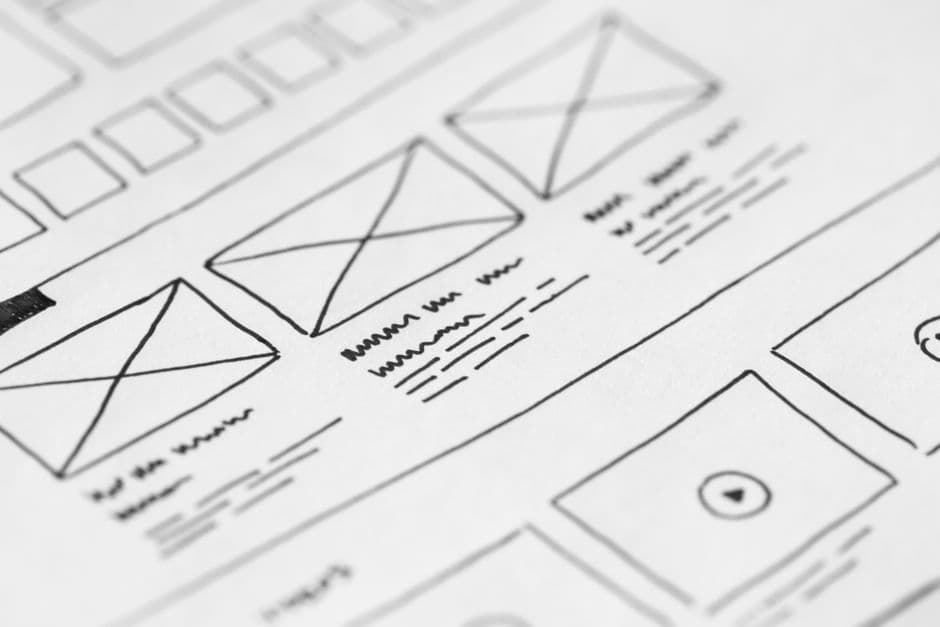
A good ecommerce site structure is flat and logical — meaning your most important pages are reachable quickly, and every page has a clear place in the hierarchy.
The standard structure looks like this:
Homepage
├── Category Page (e.g. Women's Clothing)
│   ├── Subcategory (e.g. Dresses)
│   │   ├── Product Page
│   │   └── Product Page
│   └── Subcategory (e.g. Tops)
├── Category Page (e.g. Men's Clothing)
├── Blog
└── Static Pages (About, Contact, FAQ)
The key principle: no important page should be more than 3 clicks from the homepage. Pages buried 4–5 levels deep receive less crawl attention from Google and fewer internal links — which means they rank worse, regardless of how good the content is.
At scrippt.dev, we see flat structure vs deep structure make a meaningful difference in how quickly new products and categories get indexed after a store launches.
How Many Categories Should an Ecommerce Store Have?
Use as many categories as your product range genuinely requires — but no more.
A common mistake is creating too many categories in an attempt to target more keywords. This creates thin category pages (pages with very few products) that Google treats as low-quality. Thin pages can actually suppress the rankings of your stronger pages.
A healthier approach:
- 5–10 top-level categories for most stores (fewer is fine)
- Subcategories only when a category has 20+ products that naturally split into groups
- Avoid single-product categories — merge them or use tags instead
If you sell handmade jewellery, "Rings", "Necklaces", and "Earrings" are sensible categories. Creating separate categories for "Gold Rings", "Silver Rings", and "Rose Gold Rings" when you have 4 products each creates 3 thin pages where one stronger page would do better.
Pro tip
Use WooCommerce product tags for attributes (colour, material, size) rather than creating separate categories for each variation. Tags don't create standalone category-like pages that compete with each other.
Should You Use Subcategories or Filters?
Both have a role — the question is which one creates a page worth ranking.
Use subcategories when:
- There are enough products to fill a useful page (20+)
- Shoppers genuinely search for that subset by name (e.g. "men's waterproof jackets")
- You want a standalone page to rank for that term
Use filters when:
- The variation is narrow (colour, size) and people rarely search for it directly
- Creating a page for it would be thin or duplicative
In WooCommerce, product attributes used for filtering (size, colour, material) can be set to either create public archive pages or remain filter-only. If you're using a filter plugin like FiboFilters or YITH, make sure filtered URLs are either noindexed or blocked in robots.txt — otherwise Google may try to index thousands of filter combination URLs, which dilutes your crawl budget and creates duplicate content.
Use the /website-audit tool to check if your store has indexation issues caused by filter URLs.
How Does URL Structure Affect SEO?
URL structure is a small but real SEO signal. Clean, descriptive URLs are easier for Google to understand and easier for users to share.
Good ecommerce URL patterns:
/shop/womens-clothing/dresses/floral-wrap-dress/products/running-shoes/nike-air-zoom-pegasus
Patterns to avoid:
/product?id=4872&cat=23&ref=featured— query string URLs are hard to read and can cause duplicate content/shop/p/p/2023/product-name— unnecessary depth adds no value- Changing URLs after launch — URL changes break existing links and require redirects
For WooCommerce stores, the default URL structure is /product/product-name/ which is clean and works well. The category base can be changed in Settings → Permalinks. A structure like /shop/category/product-name/ includes more context and is slightly better for SEO — though the difference is minor compared to factors like content quality and links.
Whatever structure you choose, commit to it before launch. Changing it later requires 301 redirects across your entire catalogue, which is manageable but time-consuming.
What Role Do Internal Links Play in Site Structure?
Internal links are how you direct Google's attention. Every link from one page to another passes a small amount of ranking authority — and pages that receive more internal links rank better, all else being equal.
In practice, this means:
- Your homepage should link to your most important categories — not just in the nav, but in the body content where possible
- Blog posts should link to relevant category and product pages — this is one of the highest-ROI SEO activities for ecommerce stores
- Breadcrumb navigation provides automatic internal links throughout your hierarchy
- Related products sections on product pages pass authority horizontally across your catalogue
The /blog-outline-generator can help you plan blog content specifically designed to link back to your key category pages — which is one of the most effective ways to build internal link authority over time.
How Should You Handle Pagination?
Pagination — the /page/2/, /page/3/ URLs that appear when a category has more products than fit on one page — needs careful handling.
Google's current guidance (according to Google's documentation) is to not use rel=prev/next anymore. Instead:
- Paginated pages can be indexed and will be treated as separate pages
- Ensure each paginated page has unique content (the products on it) and isn't blocked by robots.txt
- Avoid using
noindexon paginated pages — this can cause indexation issues for products that only appear deep in the pagination
For most stores, keeping your default product count at 24–36 per page keeps pagination manageable and pages loading fast. Infinite scroll can improve UX but requires careful implementation to ensure Google can crawl and index products that load dynamically.
Getting your site structure right before you start building content and links is one of the highest-leverage things you can do for ecommerce SEO. A well-structured store gives every page a better starting point — and makes every other SEO effort you do more effective.
If you're not sure how your current structure stacks up, start with the /website-audit tool for a quick overview, then look at your Google Search Console coverage report to see which pages Google is and isn't indexing.