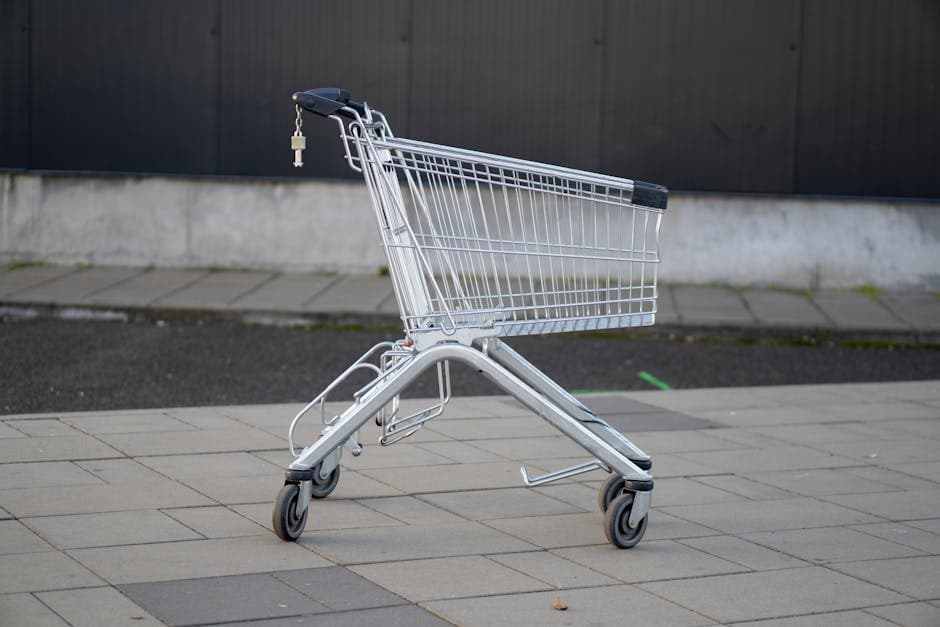
You check your WooCommerce dashboard and see dozens of orders that never happened. Customers added products to their carts, entered their email addresses, and then vanished. It's like watching people fill a shopping trolley in a supermarket, wheel it to the checkout, and walk out the door.
This isn't unusual. Studies consistently show that roughly 70% of online shopping carts are abandoned before purchase. For a store doing £10,000 a month in revenue, that means roughly £23,000 worth of products sat in carts that were never paid for. Even recovering a small fraction of those sales can transform your bottom line.
WooCommerce makes it straightforward to set up automated abandoned cart emails — messages that go out automatically when someone leaves without completing their purchase, nudging them to come back and finish. This guide covers the entire process, from choosing your plugin to writing emails that convert.
70%
Roughly 70% of online shopping carts are abandoned before purchase. For a store doing £10,000 a month in revenue, that's approximately £23,000 in products left behind — every single month.
Why Abandoned Cart Emails Work So Well
Abandoned cart emails deliver outsized results compared to most other marketing activities for one reason: targeting.
An abandoned cart email targets someone who has already shown serious buying intent. They found your product, decided they wanted it, and started the checkout process. Compare that to a cold Facebook ad targeting someone who has never heard of your brand. The conversion potential is entirely different.
The numbers behind the strategy
Abandoned cart emails typically see open rates between 40% and 45%, compared to the 15–20% average for standard ecommerce marketing emails. Click-through rates sit around 10%, and recovery rates — the percentage of abandoned carts that convert into actual sales — average between 5% and 15%.
Here's what that looks like in practice:
- Before abandoned cart emails: A store with 200 abandoned carts per month recovers zero of those sales. Monthly revenue: £10,000.
- After abandoned cart emails: That same store recovers 10% of abandoned carts with an average order value of £50. That's 20 extra orders, or £1,000 in recovered revenue every month — £12,000 per year from a single automated sequence.
That revenue requires no additional ad spend, no new traffic, and no extra inventory. It's money that was already almost yours.
Choosing the Right Abandoned Cart Plugin
WooCommerce doesn't include abandoned cart recovery in its core features, so you'll need a plugin (an add-on that extends your store's functionality). Several options exist, and the right choice depends on your budget and how sophisticated you want your email sequences to be.
Free and budget-friendly options
- AutomateWoo — A premium plugin from the official WooCommerce marketplace. It handles abandoned cart emails alongside other automations like win-back campaigns and review requests. It's a solid choice if you want one tool for multiple automated workflows.
- CartFlows — Offers cart abandonment recovery alongside checkout optimisation features. The free version covers basic recovery, while the pro version unlocks advanced features.
- Abandoned Cart Lite for WooCommerce by Starter Templates — A free plugin that captures cart data and sends recovery emails. It's a good starting point if you're testing the concept before investing.
All-in-one email platforms
If you already use an email marketing service like Mailchimp, Klaviyo, or MailerLite, check whether your existing plan includes abandoned cart automation. Many do, and using your current platform avoids adding another plugin to your site, which helps keep things running smoothly. If site speed is a concern for your store, our free site audit tool can help you identify what's slowing things down before you add new plugins.
For this guide, we'll use Abandoned Cart Lite for WooCommerce as our primary example because it's free and accessible, but the principles apply regardless of which plugin you choose.
Use your existing email platform first
Step-by-Step Setup: Installing and Configuring Your Plugin
Follow these steps to get your first abandoned cart email sequence live. The entire process takes about 30–45 minutes.
Step 1: Install the plugin
- Log into your WordPress dashboard (usually found at
yourstore.com/wp-admin). - Navigate to Plugins → Add New.
- Search for "Abandoned Cart Lite for WooCommerce."
- Click Install Now, then click Activate.
- You'll see a new menu item called "Abandoned Carts" appear in your left-hand sidebar.
Step 2: Configure cart capture settings
The plugin needs to know when a cart counts as "abandoned." Head to Abandoned Carts → Settings and configure these options:
- Cart abandoned cut-off time: This is how long the plugin waits after a customer leaves before marking the cart as abandoned. Set this to 15 minutes. Shorter than that and you'll catch people who are still shopping. Longer than that and you delay your first email unnecessarily.
- Capture guest carts: Make sure this is enabled. Guest customers (those who don't create an account) represent a significant portion of your abandoners. The plugin captures their email address as soon as they enter it during checkout, even if they don't complete the purchase.
- Email sending frequency: This controls how often the plugin checks for new abandoned carts and sends emails. Every 15 minutes is a sensible default.
Step 3: Create your email templates
Navigate to Abandoned Carts → Email Templates and click Add New Template. You'll create a sequence of emails, each sent at a different interval after abandonment. We'll cover what to include in those emails in the next section.
For each template, you'll set:
- Template name (for your reference only — customers won't see this)
- Email subject line
- Email body (most plugins include a visual editor and merge tags)
- Send this email after — the time delay after cart abandonment
Step 4: Set up your email sequence timing
A three-email sequence is the sweet spot for most WooCommerce stores. The timing that tends to perform best:
- Email 1 — sent 1 hour after abandonment. This catches people while your store is still fresh in their mind. It's a gentle reminder, not a hard sell.
- Email 2 — sent 24 hours after abandonment. This follows up with a bit more urgency and perhaps a reason to return.
- Email 3 — sent 72 hours after abandonment. This is your final attempt. Many store owners include a small incentive at this stage.
Step 5: Test your sequence
Before going live, test every email in your sequence:
- Open your store in an incognito or private browser window.
- Add a product to your cart.
- Begin checkout and enter a test email address you control.
- Close the browser without completing the purchase.
- Wait for each email to arrive and check the formatting, links, and cart contents.
Click the recovery link in each email to confirm it takes you back to a pre-filled cart with the correct products.
Writing Abandoned Cart Emails That Actually Convert
The technical setup is only half the job. The emails themselves need to persuade a real human being to come back and spend their money. Here's how to write each email in your sequence.
Email 1: The friendly reminder
Subject line example: "You left something behind — your cart is saved"
This email should feel helpful, not salesy. The customer may have been interrupted, lost their connection, or got distracted. Your job is to make it effortless to pick up where they left off.
Include:
- A warm, conversational greeting
- An image and name of the product(s) they left behind (most plugins insert this automatically using merge tags like
{{cart.items}}) - A clear, prominent button that says something like "Complete my order" or "Return to my cart"
- Your returns policy or a trust signal like "Free shipping on orders over £50"
Do not include a discount in this first email. Many customers will complete their purchase without one, and training people to expect a coupon every time they abandon a cart erodes your margins quickly.
Email 2: Address the hesitation
Subject line example: "Still thinking it over? Here's why customers love [product name]"
By 24 hours, if they haven't returned, there's likely a reason. Common ones include price concerns, shipping costs, uncertainty about product quality, or comparison shopping.
Include:
- A brief mention that their cart is still saved
- Social proof: a customer review or testimonial related to the abandoned product
- Answers to common objections (e.g., "Not sure about the fit? We offer free exchanges within 30 days")
- The same clear call-to-action button
Email 3: The final nudge
Subject line example: "Your cart expires soon — here's 10% off to sweeten the deal"
This is where a small incentive can tip the balance. A discount code of 5–15%, free shipping, or a bonus item can be the push someone needs.
Include:
- A sense of urgency (their cart items may sell out, or the discount expires in 48 hours)
- The incentive, clearly stated
- The product image and return-to-cart button
- A line inviting them to reply if they have questions — this humanises your brand and can uncover objections you hadn't considered
Never offer a discount in your first email
A note on tone
Write these emails as if you're a helpful shop assistant, not a corporate marketing department. Use "you" and "your" frequently. Keep sentences short. Avoid jargon. The person reading this was seconds away from buying — they don't need to be convinced your product exists. They need a reason to finish what they started.
Advanced Tactics to Improve Your Recovery Rate
Once your basic sequence is running and recovering sales, there are several ways to squeeze more performance out of it.
Segment by cart value
A customer who abandoned a £200 cart deserves more attention than someone who left a £15 item. If your plugin supports it, create separate email sequences for high-value and low-value carts. Reserve your best incentives — larger discounts, personal follow-up emails — for the bigger potential orders.
Add SMS follow-up
Some plugins and platforms allow you to add SMS messages alongside emails. A short text message saying "Your cart at [Store Name] is still waiting — tap here to finish checkout" can reach people who don't check email frequently. Just make sure you have proper consent before sending text messages, as regulations around SMS marketing are strict.
Optimise your checkout to reduce abandonment in the first place
Abandoned cart emails are a safety net, but reducing abandonment at the source is even better. Common checkout friction points include:
- Unexpected shipping costs — display shipping estimates on product pages, not just at checkout
- Forced account creation — always offer guest checkout
- Too many form fields — only ask for information you need
- Slow page load times — a checkout page that takes more than three seconds to load loses customers fast
- Limited payment options — offer PayPal, Apple Pay, and Google Pay alongside card payments
If you're unsure where your checkout process is losing people, our services include conversion audits that pinpoint exactly where customers drop off.
Monitor and iterate
Check your abandoned cart reports weekly. Look at:
- Recovery rate — what percentage of abandoned carts convert after receiving emails?
- Email open rates — if these are below 30%, test new subject lines
- Click-through rates — if people open but don't click, the email body needs work
- Unsubscribe rates — if these climb, you may be sending too aggressively
Run A/B tests on subject lines, email timing, and incentive amounts. Small improvements compound over time. A recovery rate that moves from 8% to 12% might not sound dramatic, but it's a 50% increase in recovered revenue.
What good recovery looks like
Common Mistakes to Avoid
Even experienced store owners make these errors when setting up cart recovery emails. Avoiding them from the start saves you time and protects your brand.
- Sending the first email too late. Waiting 24 hours for the first email means your competitor has already won. One hour is the sweet spot.
- Offering discounts immediately. Your first email should never include a coupon. You'll train customers to abandon carts on purpose to get a deal.
- Forgetting mobile optimisation. Over half of ecommerce traffic comes from mobile devices. Test every email on a phone screen before going live.
- Ignoring deliverability. If your emails land in spam folders, nothing else matters. Use a reputable sending service, authenticate your domain with SPF and DKIM records (your email provider's documentation will walk you through this), and keep your sender reputation clean by only emailing people who've given you their address during checkout.
- Never updating your templates. Review your email copy and design at least quarterly. What converted six months ago may feel stale or irrelevant to your customers now.
Your Next Step: Get Your First Sequence Live Today
You don't need a perfect three-email sequence to start recovering abandoned carts. Here's what to do right now:
- Install an abandoned cart plugin on your WooCommerce store.
- Configure the cart capture settings with a 15-minute cut-off.
- Write and activate just one email — a friendly reminder sent one hour after abandonment.
- Test it with a fake abandoned cart to make sure everything works.
That single email, even before you add a second or third, will start recovering revenue this week. Once you see those first recovered orders come in, you'll have the data and motivation to build out the full sequence.
Key takeaway
Every day without abandoned cart emails is a day you're leaving real money on the table. The setup takes less than an hour. The returns last as long as your store is open.