A no-show isn't just a missed appointment. It's a blocked time slot nobody else could fill, a revenue gap you can't recover, and — if it happens repeatedly — a real drag on how you feel about running your business.
The industry average no-show rate for service businesses sits between 10% and 20%. For a business doing 30 appointments a week at $100 each, that's $300–$600 in lost revenue every single week. Over a year, that's up to $30,000 gone.
The good news: no-shows are largely preventable. Not with awkward follow-up calls or passive-aggressive cancellation policies — but with systems. Here are five strategies that actually work.
$30,000
A service business with a 15% no-show rate doing 30 appointments per week at $100 each loses up to $30,000 per year in unrecoverable revenue. Systems that cut the no-show rate to 3–5% pay for themselves in weeks.
1. Automated Reminders — and More Than One of Them
Most booking tools send a single reminder 24 hours before the appointment. That's a start, but it's not enough.
The setup that works best is two reminders:
- SMS 24 hours before — "Hi [name], reminder that your [service] is tomorrow at [time] with [business name]. Reply STOP to cancel."
- Email the morning of — Sent around 8–9am, with the appointment details, address, and what to bring.
The morning-of email is the one most businesses skip, and it's the one that catches people who genuinely forgot overnight. An SMS the night before plus an email at 8am the morning of reduces no-shows significantly more than a single reminder alone.
Add a same-day morning reminder
Most booking tools default to a 24-hour-only reminder. Go into your settings and add the second touchpoint manually.
In Acuity Scheduling, you can set up multiple reminder emails and SMS messages under Reminders in the client notification settings — configure both a 24-hour and a same-day trigger. Amelia supports reminder emails per service and allows custom timing intervals. Calendly (on paid plans) lets you add email reminders at 24h and 1–2 hours before.
That 2-hour reminder deserves a mention on its own. For high-no-show appointment types — first-time clients, longer sessions, midday slots — adding a third reminder 2 hours out has been shown to reduce same-day no-shows by a meaningful margin. It feels like a lot, but clients consistently say they appreciate it.
Keep the reminder copy short and direct. Include: the time, your business name, the address (or a link to directions), and one clear action if they need to reschedule. Don't make it sound like a legal notice.
2. Deposits at Booking — Skin in the Game
This is the single most effective no-show reducer available to service businesses.
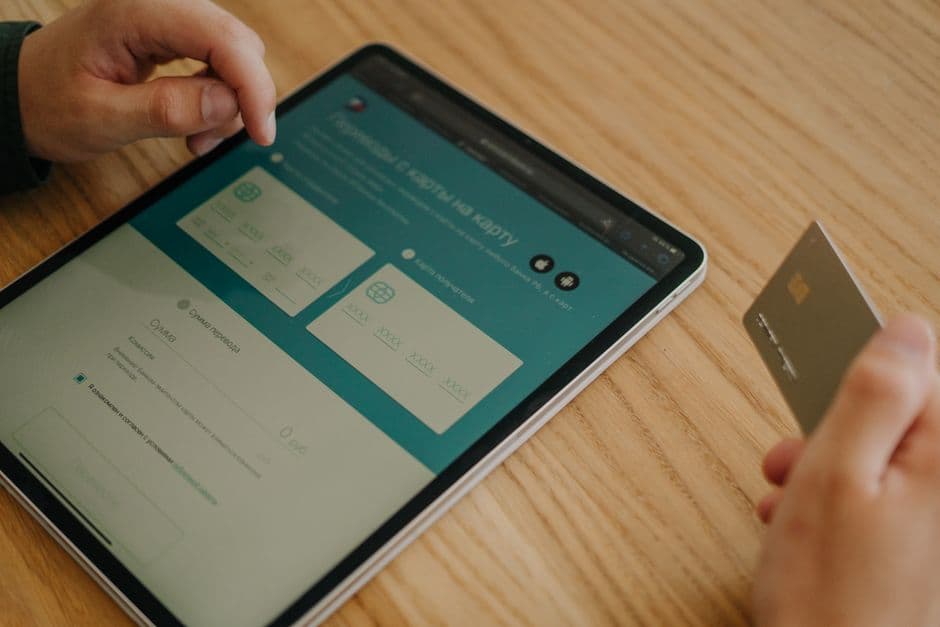
Deposits reduce no-shows by approximately 50%. The reason is psychological: once someone has paid money, they have a stake in showing up. A free appointment is easy to ghost. An appointment that cost $50 is not.
How much to charge: A deposit of 25–50% of the service price is standard. For higher-ticket services ($200+), even a flat $50 deposit works well. The goal isn't to collect half the revenue upfront — it's to create commitment.
What tools support it:
- Amelia — supports full payment or deposit at booking via Stripe, PayPal, Mollie, or Razorpay. You can set a fixed deposit amount or a percentage per service.
- Acuity Scheduling — handles deposits natively. Set a required payment amount per appointment type under Payments in the settings.
- Calendly — payment collection is available on the Teams plan and above, via Stripe.
- Square Appointments — includes payment collection for free on the solo plan.
If your current booking setup doesn't support deposits, that's worth fixing. It's the highest-ROI change most service businesses can make to their booking flow.
One practical note: be clear in your booking flow about what happens to the deposit if the client cancels. If you keep it for same-day cancellations but refund it for 24+ hours' notice, say that explicitly. Clients won't object to a fair policy — they'll object to a hidden one.
Deposits reduce no-shows by approximately 50%
3. Easy Self-Service Reschedule and Cancel
This sounds counterintuitive — if you make it easy to cancel, won't more people cancel?
No. What actually happens when cancelling is hard is this: clients miss the appointment and don't say anything. They ghost rather than navigate whatever hoops they'd need to jump through to officially cancel. That leaves you waiting in an empty clinic, salon chair, or Zoom room.
When rescheduling is one click from the confirmation email, clients use it. They reschedule instead of no-showing. You get someone in that slot instead of nobody.
Make sure your booking system:
- Includes a reschedule link in every confirmation email — not a phone number, not "reply to this email," an actual self-service link.
- Allows clients to reschedule up to a set cutoff (e.g., 24 hours before) without needing to contact you.
- Shows available slots in real time so the client can rebook immediately rather than abandoning the process.
In Acuity and Amelia, confirmation emails include a reschedule/cancel link by default — check that this is enabled in your notification templates. In Calendly, the link is included in all confirmation emails automatically.
The business impact: reducing friction for rescheduling converts a significant portion of would-be no-shows into rebooked appointments. You fill the slot eventually rather than losing it entirely.
4. Confirmation Emails That Actually Confirm
Most booking confirmations contain: a date, a time, and maybe a calendar invite link. That's not enough.
A useful confirmation email answers every logistical question the client might have before the appointment. The goal is to eliminate any uncertainty that might cause them to second-guess the booking.
Include:
- Date and time (obvious, but include the day of the week — "Thursday, May 22" is clearer than "05/22")
- Full address with a Google Maps link (or the video call link if it's remote)
- Parking and access notes — "Street parking is available on Oak Lane, or there's a car park on the corner of High St. The entrance is the blue door, not the main building entrance."
- What to bring or do before arriving — "Please come with clean, dry hair" or "Fill in the intake form linked below before your appointment"
- What to expect — especially for first-time clients. A one-sentence description of how the appointment works reduces the anxiety that leads to late cancellations.
- Your cancellation/reschedule policy — restated briefly, with the reschedule link prominent.
This level of detail takes 20 minutes to set up once in your email template and it pays off with every single booking from that point forward. Clients who know exactly what to expect — where to go, where to park, what to do — show up. Clients with unresolved uncertainty cancel or no-show.
Set up a separate confirmation template for first-time clients vs. returning clients if your tool supports it. First-timers need more context; returning clients already know the drill.
5. A Cancellation Policy That's Visible Before Booking
A cancellation policy buried in fine print at the bottom of a confirmation email is not a cancellation policy — it's a liability disclaimer. It won't change client behaviour.
A visible cancellation policy, shown before and during the booking process, does three things:
- It sets expectations clearly so clients don't feel blindsided.
- It signals that your time has value.
- It gives you a legitimate basis to enforce the policy if needed.
What to include in your policy:
- The window — "Cancellations made less than 24 hours before the appointment will forfeit the deposit."
- What happens to deposits — spell it out. "Deposits are fully refunded for cancellations made 24+ hours in advance. Same-day cancellations and no-shows are non-refundable."
- How to reschedule — "You can reschedule at any time using the link in your confirmation email."
Where to put it:
- On your services or booking page, above the booking form
- In the booking flow itself — a checkbox or acknowledgement step before finalising the booking
- In the confirmation email (brief summary, not the full legal text)
The checkbox in the booking flow is particularly effective. When clients actively acknowledge the policy at the moment of booking, they're far less likely to no-show without notice — and far more likely to reschedule within the allowed window if something comes up.
Tools like Amelia and Acuity allow you to add a required checkbox or terms agreement step within the booking form. If you're using a simpler tool without this feature, a clear statement above the "Book Now" button is the next best option.
Putting It Together
You don't need to implement all five at once. Start with reminders — add that second touchpoint today. Then enable deposits if your tool supports them.
If you want to understand what your booking setup should look like from the ground up, this guide on adding online booking to your small business website covers the options and what each one handles.
A cancellation policy buried in fine print won't change behaviour
Key takeaway
The compounding effect matters: a business using automated dual reminders + a deposit + a visible cancellation policy typically sees no-show rates drop from 15–20% down to 3–5%. At 30 appointments a week, that's tens of thousands of dollars in recovered revenue annually.
If Your Current Booking System Doesn't Support These Features
Not all booking setups are equal. A basic contact form or a free Calendly link won't support deposits, multi-step reminders, or built-in cancellation policies. If you're leaving these features on the table because your current setup doesn't support them, that's a fixable problem.
We build done-for-you booking sites on WordPress with Amelia — which handles all five strategies out of the box. Basic setup starts at $497. See what's included and choose your plan →